
Fix FILTER #N/A in Google Sheets (no matches and mismatched range sizes)
FILTER can land as #N/A for two different reasons. One is an empty result. The other is a size error. Both cells show #N/A. They are not the same problem.
Recreate it on a blank sheet
Section titled “Recreate it on a blank sheet”- Open a blank spreadsheet. Leave the tab named
Sheet1. In A1 typesku, B1name. - In A2 type
101. B2Widget. A3102. B3Gadget. A4103. B4Lamp.
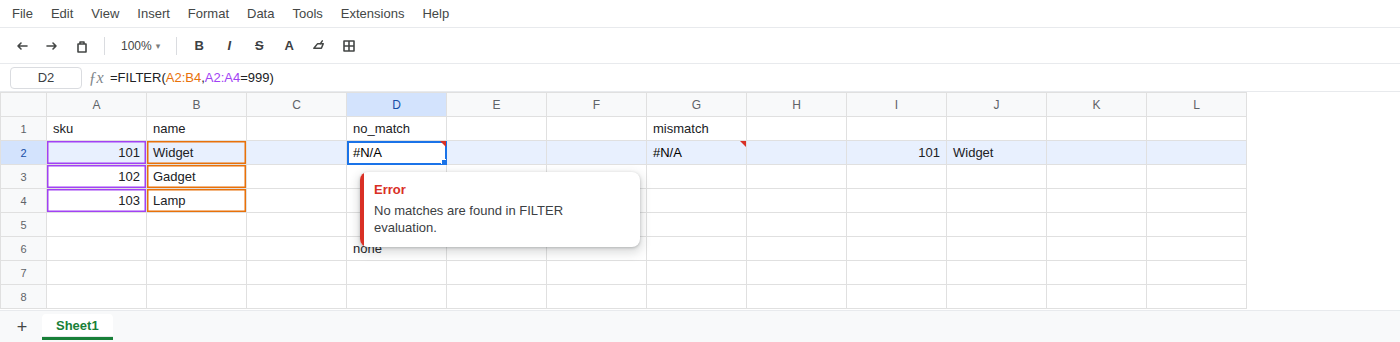
Recreate 1 — no matches. In D1 type no_match. In D2 enter =FILTER(A2:B4,A2:A4=999). The cell shows #N/A. The tooltip is No matches are found in FILTER evaluation.
Recreate 2 — mismatched range sizes. In G1 type mismatch. In G2 enter =FILTER(A2:B4,A2:A5=101). A2:B4 is three rows. The condition A2:A5 is four rows. The cell shows #N/A. The tooltip is FILTER has mismatched range sizes. Expected row count: 3. column count: 1. Actual row count: 4, column count: 1.
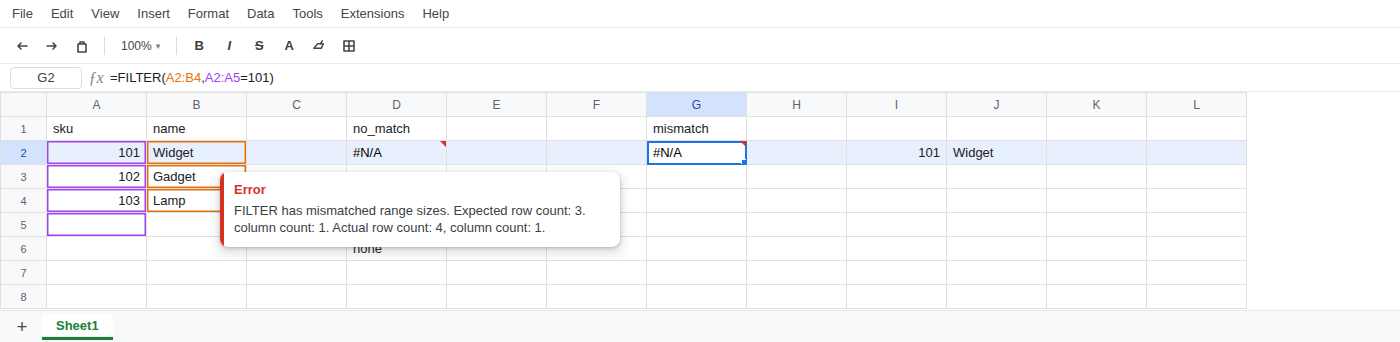
That second cell is still #N/A. It is not #REF!.
What is actually wrong
Section titled “What is actually wrong”- No matches:
FILTERfound zero rows. Sku999is not in A2:A4. That is a real empty result, still shown as#N/A. It is not a missingVLOOKUPkey and notQUERYyear()mixed types. - Mismatch: the range and the condition must be the same height.
A2:B4is three rows.A2:A5is four. The extra row inA2:A5is a size error. Still#N/A, not#REF!. - Do not read this
#N/Aas aVLOOKUPcolumn-index#REF!, aUNIQUEoverwrite#REF!, a circular#REF!, orIMPORTRANGEwaiting for Allow access. Those are different errors. This page is twoFILTER#N/Acases.
Leave D2 as the broken no-match formula. Leave G2 as the broken mismatch formula.
- Empty
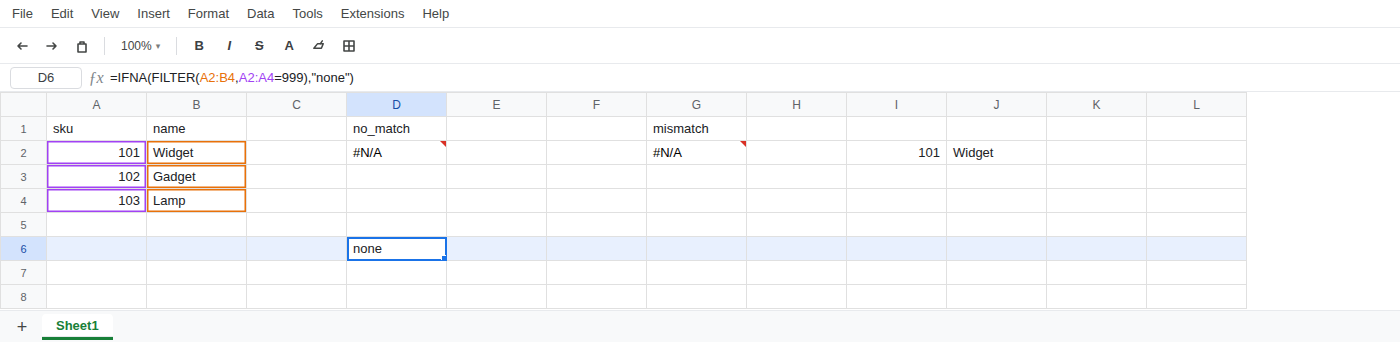
FILTER: wrap withIFNA. In D6 enter=IFNA(FILTER(A2:B4,A2:A4=999),"none"). The cell showsnone.
- Mismatch: same height. Change the condition to
A2:A4. A working formula on sku 101:=FILTER(A2:B4,A2:A4=101)spills101/Widget.
Do not change File > Settings locale. Do not wrap this in IMPORTRANGE. Do not switch the condition to QUERY Col1.
If FILTER is #N/A, first ask whether it found zero rows or whether the ranges are different heights. Those two #N/A values are not interchangeable.